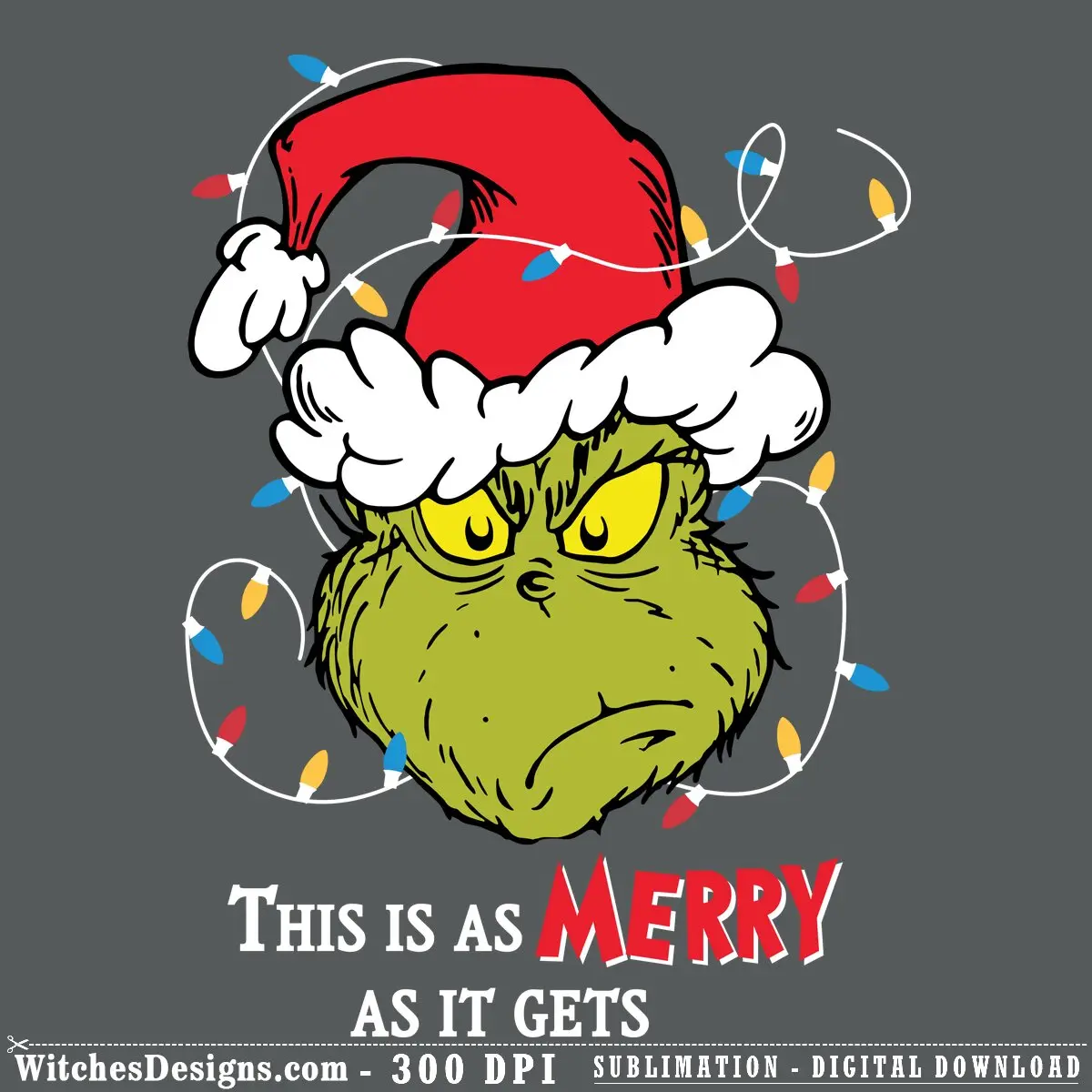
Grinch svg Santa Hat Christmas Design
$2.99
Grinch svg with Santa hat & festive confetti. Layered for Cricut/Silhouette. Perfect for ugly sweaters, mugs, tumblers & holiday decals.
Pairs perfectly with
- Files delivered instantly after purchase
- All formats bundled in one ZIP
- Secure checkout
Description
This grinch svg file brings that iconic grumpy-turned-jolly character to life with a oversized red Santa hat, white fluffy beard, and mischievous yellow-eyed grin. Scatter confetti in red, blue, and gold floats around the design, with the word “MERRY” anchoring the bottom—ideal for anyone who wants their holiday gear to have a little bite.
Why this grinch svg is a crafter favorite
- Layered SVG with 8 distinct colors—separate the Grinch’s face, beard, hat, and confetti to customize on the fly in Cricut Design Space or Silhouette Studio
- Works for vinyl cutting, sublimation, DTF printing, and print-and-cut projects all in one file
- High-res PNG (4215 × 5683 px, 300 DPI) for sharp tumblers, mugs, and apparel transfers
- Perfect for ugly Christmas sweaters, holiday tumblers, coffee mug designs, and festive decals
What’s inside your grinch svg download
You’ll receive both SVG (layered, 1440 × 1440 canvas) and PNG (transparent background, 300 DPI) formats. The SVG opens in Cricut Design Space, Silhouette Studio (all versions), Adobe Illustrator, CorelDRAW, and Graphtec Studio without extra fuss.
Project ideas
Layer this on a black or green vinyl shirt, heat-transfer it onto a white or mint tumbler for a sarcastic holiday gift, or print-and-cut it as a window decal. The confetti detail makes it pop whether you’re going bold with contrasting colors or keeping it classic.
Frequently asked questions
I'm new to cutting—how would I use this grinch svg to make my first project?
Start simple: upload the SVG to Cricut Design Space, cut it in green vinyl, and weed away the excess. Stick it on a tumbler, mug, or laptop—no heat press needed for vinyl decals. If you want to print instead, use the PNG file in Cricut's print-then-cut mode.
Can I change the colors in this design?
Absolutely. The SVG is layered into 8 separate color groups, so you can click each layer in Cricut or Silhouette and swap colors before you cut. Want the hat blue instead of red? Just select that layer and recolor it.
What file formats am I getting, and which should I use?
You get both SVG (best for cutting in Design Space or Studio with full layer control) and PNG (best for printing or sublimation transfers). The PNG is 300 DPI and 4215 × 5683 pixels, so it's sharp enough for large mugs and apparel.
Browse more Dr. Seuss designs.
Additional information
| Formats | SVG, PNG |
|---|---|
| Compatible software | Cricut Design Space, Silhouette Studio, Adobe Illustrator, CorelDRAW, Graphtec Studio |
| Resolution | 4215×5683 px @ 300 DPI |
| Print size | 14.05 x 18.94 inch |
| Layers | 1 (layered) |
| Colors | 8 |
| Background | Transparent |
Reviews
There are no reviews yet.