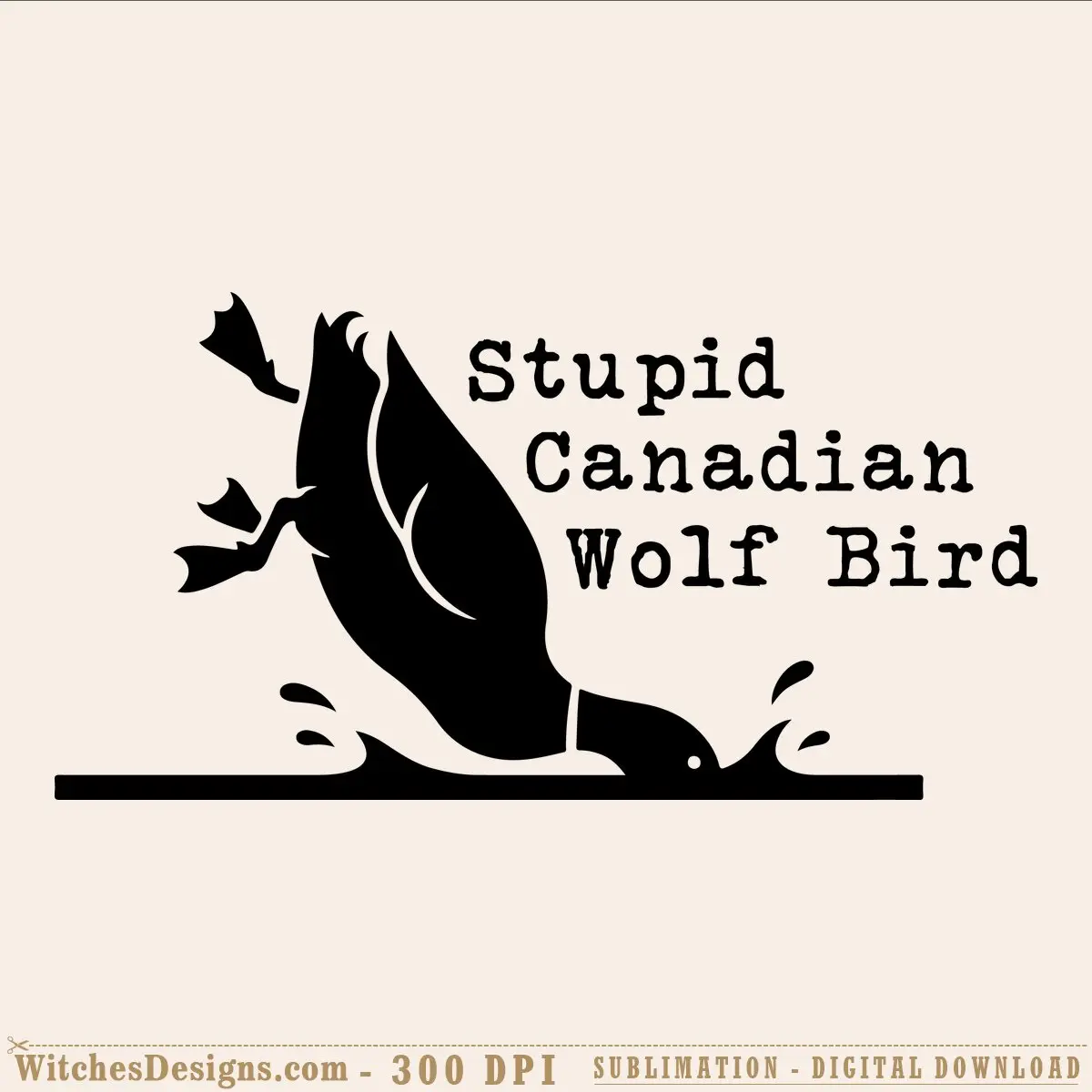
Stupid Canadian Wolf Bird SVG meme design funny
$2.99
Stupid Canadian Wolf Bird SVG PNG for Cricut & Silhouette. Funny meme loon silhouette, ready for vinyl, sublimation & print projects.
Pairs perfectly with
- Files delivered instantly after purchase
- All formats bundled in one ZIP
- Secure checkout
Description
The stupid canadian wolf bird svg captures that hilariously absurd meme energy—a pitch-black silhouette of a chaotic hybrid creature caught mid-splash, paired with tongue-in-cheek typewriter text. It’s the kind of quirky, irreverent design that speaks to crafters who love witty, offbeat humor on their projects.
Why crafters love this stupid canadian wolf bird svg
This file delivers instant personality to tumblers, t-shirts, hoodies, and custom signs. The bold silhouette reads clearly at any scale, whether you’re cutting it from vinyl, preparing it for sublimation, or printing it onto apparel. No fussy details to fuss with—just a punchy, memorable image that makes people smile.
What you’re getting
- SVG single-layer file (1008×1008 canvas) for Cricut Design Space and Silhouette Studio
- PNG at 300 DPI (3912×2020 px, 13.04×6.73 inches) with transparent background, ready to print or upload to DTF/sublimation services
- Full compatibility with Adobe Illustrator, CorelDRAW, and Graphtec Studio
- Perfect for vinyl cutting, print-and-cut, screen printing, and paper craft
Use this meme design for
Layer it onto drinkware for a gag gift, heat-press it onto a crew neck for festival vibes, or vinyl-cut it as a car decal. The comic-book-style silhouette also works beautifully as a wall sign or sticker sheet insert.
File formats & specs
Instant download delivers both SVG and PNG. The SVG works natively in Design Space and Studio without conversion hassle; the high-res PNG keeps edges crisp on sublimation blanks and print services.
Frequently asked questions
Will this stupid canadian wolf bird svg work in my Cricut or Silhouette machine?
Yes—the SVG imports directly into Design Space and Silhouette Studio (Basic or Designer), and the PNG works great for print-and-cut or sublimation prep. If you use Adobe Illustrator or CorelDRAW, both formats load seamlessly there too.
Can I change the colors or split this design into layers for multi-color vinyl?
The SVG is a single-layer file, so you'd need to manually separate the bird silhouette and text in Illustrator or your design software if you want different colors. Keeping it as one black layer is quickest for vinyl cuts or sublimation, though.
I'm new to vinyl cutting—how would I use this meme design on a tumbler?
Open the PNG or SVG in Design Space, size it to fit your 20-oz tumbler (roughly 8–9 inches wide), and cut it from adhesive vinyl. Weed away the negative space, apply the design to the tumbler using transfer tape, and seal with a mug press or oven heat.
Browse more Funny & Sarcastic designs.
Additional information
| Formats | SVG, PNG |
|---|---|
| Compatible software | Cricut Design Space, Silhouette Studio, Adobe Illustrator, CorelDRAW, Graphtec Studio |
| Resolution | 3912×2020 px @ 300 DPI |
| Print size | 13.04 x 6.73 inch |
| Background | Transparent |




Reviews
There are no reviews yet.